How to Solve Prolific USB Error Code 39 – Now we will talk about solving prolific usb error, Prolific is known for their broad range of products, such as
USB converter, USB storages, brushless motor devices, and many more. And as one
of the leading computing part and peripheral manufacturers based in Taiwan,
Prolific always ensures their products have excellent quality and performance.
However, due to one to another reason, some prolific products are known with
various problem issues, one of them is Prolific USB Serial Adapter (PL2303).
USB converter, USB storages, brushless motor devices, and many more. And as one
of the leading computing part and peripheral manufacturers based in Taiwan,
Prolific always ensures their products have excellent quality and performance.
However, due to one to another reason, some prolific products are known with
various problem issues, one of them is Prolific USB Serial Adapter (PL2303).
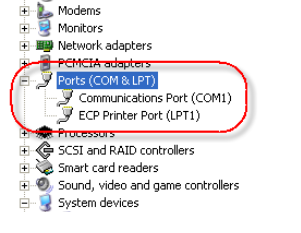 |
| Solving Prolific USB Error |
The main issue involving Prolific USB Serial Adapter PL2303
is that it failed to load driver, which result in unrecognized status on the
computer. And if you’re one of those with such problem, here are some things
you can try:
is that it failed to load driver, which result in unrecognized status on the
computer. And if you’re one of those with such problem, here are some things
you can try:
- First,
identify the problem. Remember what error message is appeared on the
screen. In most cases, the failure driver loading procedure stated as Error
Code 39. If that is what you’re dealing with, proceed to the next step. - As
the Error Code 39 shown up on the screen, you’re positively dealing with
driver load failure. That means, the computer is failed to install the
driver for the device. In this case, many things can be the real cause of
it. It could be the driver files have been corrupted or damages, or also
it could be that the computer has failures in reading and executing the
driver autorun process. - If
that’s the case, you may consider finding new driver files as alternative
way to install. Most manufacturers provide driver files in their official
website, and so with Prolific. Download from Prolific.com and choose the
driver based on the product serial or type (PL2303). - Before
you install the freshly downloaded driver files, you MUST first uninstall
the installed driver via control panel. If possible, use registry cleaner
to make sure no elements are remained from the previous installation. - Once
you have accomplished the step 4, now you’re allowed to install the
driver.
In most cases, the problem can be solved by these 5 simple
steps. But if the error still occurs, it could be either you downloaded/installed
wrong driver or that there are still remained registries from the previous
installation that affects the new installation result.
steps. But if the error still occurs, it could be either you downloaded/installed
wrong driver or that there are still remained registries from the previous
installation that affects the new installation result.
Leave a Reply